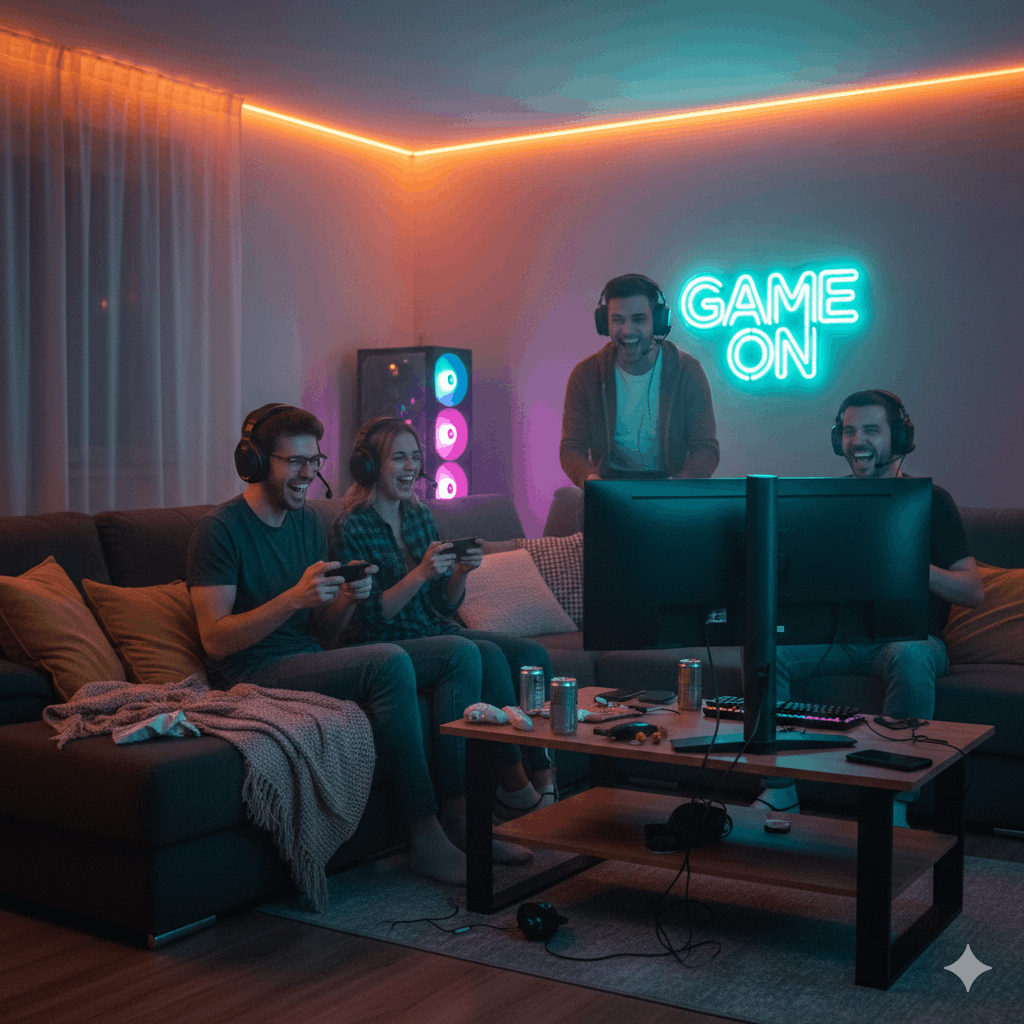

Mobile gaming accessories are no longer a “nice to have” for people who play often. Phones have become powerful, games have become faster, and matches can get serious. That mix exposes the weak spots of playing on a flat touchscreen: cramped grip, sweaty hands, missed inputs, hot devices, unstable audio, and battery anxiety.
The right mobile gaming accessories solve those problems in a way that feels natural. A good controller can make aim steadier. Phone gaming triggers can help your fingers react faster in shooters. Mobile gaming earbuds can improve sound cues and team comms. A mobile gaming cooling fan can keep performance steadier during long sessions. A stand, a holder, and smart power choices can make the whole mobile gaming setup feel cleaner and more comfortable.

This guide covers mobile gaming accessories for comfort, control, and stability. It’s written for casual players who want a better feel, competitive players who want consistency, and creators who want streaming gear for mobile gaming that stays simple.
What “Comfort and Control” Really Means on Mobile
Most players notice problems in two places: hands and inputs. A phone can feel fine for ten minutes, then your grip tightens, wrists bend, and thumbs start slipping. Controls can feel fine in practice, then a match gets intense and your taps become messy.
Phone gaming comfort comes from:
- a grip that fits your hands
- a position that reduces wrist strain
- accessories that reduce sweat and slipping
- a setup that removes clutter around charging and audio
Control comes from:
- stable input you can repeat
- predictable thumb movement
- fewer accidental touches
- audio you can trust during fights
- less heat-related slowdown
Mobile gaming ergonomics is not about fancy parts. It’s about reducing friction so your play stays consistent.
Mobile Gaming Accessories You Should Consider First
Many guides throw everything at you. A better approach is to start with the accessories that change how the game feels right away.
Controllers and grips come before everything else
Mobile gaming controllers are the biggest step up for many players, especially in shooters, racing, sports games, and action titles. A controller gives you physical buttons, triggers, and sticks. Your hands stop fighting the phone shape, and your thumbs stop doing all the work.
Gaming grips for phone gaming can be a simpler option if you prefer touchscreen controls. A grip adds handles, spreads weight, and reduces hand fatigue. For lots of people, grips deliver most of the comfort gain without changing how they play.
If your main problem is shaky aim or inconsistent movement, start with mobile gaming controllers. If your main problem is hand strain, start with gaming grips for phone gaming.
Audio upgrades improve awareness fast
Mobile gaming earbuds can change your results more than people expect. Clear audio helps you react sooner. A good mic helps callouts. Wireless gaming earbuds can be convenient, yet some players still prefer wired options for a more direct feel.
Gaming headphones for mobile can be a strong choice at home. Mobile gaming headsets can work well for long sessions when the fit is light and the mic is clear.
If you play competitive games, treat audio as part of control. Sound cues guide decisions.
Cooling and power are performance accessories, not “extras”
A phone that heats up can lose smoothness during longer play. That makes your aim feel inconsistent and your timing feel off. A mobile gaming cooling fan can help the phone stay closer to its normal performance level.
Power banks and charging choices can reduce interruptions. A mobile gaming battery pack or power bank for mobile gaming helps you avoid stopping mid-session. Fast charging for mobile gamers sounds great, yet heat management matters, especially while gaming.
These mobile gaming performance accessories matter most for:
- long sessions
- high graphics settings
- competitive play
- warm environments
- charging while playing
Mobile Gaming Controllers and Gamepads
Mobile gaming controllers sit at the center of “control upgrades.” Many players search for best mobile game controllers, mobile controller for Android, mobile controller for iPhone, and best mobile gamepads because compatibility is confusing.
Clip-on controller vs full mobile gamepad
A phone gaming clip-on controller attaches to your phone and turns it into a handheld console shape. This is popular because it feels compact and travel-friendly. It usually works well for long sessions and reduces wrist strain.
A full mobile gamepad usually means a separate controller that pairs with your phone. This can feel familiar if you already use console controllers. It can be more flexible for phone stands and desk play, yet less tidy for handheld use.
If your goal is handheld comfort, a phone gaming clip-on controller is often the cleanest choice. If your goal is flexibility, a full mobile gamepad can suit more situations.
Android vs iOS compatibility
Android gaming accessories often have broader compatibility across devices, yet USB-C placement and phone size still matter. iOS gaming accessories can work great, yet you need to match your device connector and the controller’s design.
When choosing a mobile controller for Android, check:
- phone width range
- USB-C fit with your case
- power pass-through support if you plan to charge while playing
When choosing a mobile controller for iPhone, check:
- connector type for your iPhone
- whether the controller supports your iOS version
- fit with your case
A controller can be “great” in reviews and still feel wrong if it doesn’t fit your phone.
Bluetooth controller vs direct connection
Bluetooth game controller for mobile play is convenient. It’s easy to pair, and it works with stands and TV casting. For many players, Bluetooth is perfectly fine.
Direct connection controllers can feel more immediate and can simplify charging setups. They can be better when you want a tidy handheld experience.
If you already have a console controller, Bluetooth can be the simplest entry into mobile gaming controllers. If you want a dedicated handheld feel, a clip-on controller can be the better move.
Controller comfort details that matter
Small details decide whether a controller becomes a daily part of your mobile gaming setup:
- stick tension and smoothness
- trigger feel for shooters and racing
- grip texture, especially if your hands sweat
- weight balance with your phone attached
- button placement for your hand size
Mobile game controller reviews often focus on features. Your hands care about shape, reach, and stability.
Phone Gaming Triggers and Touchscreen Gaming Accessories
Not everyone wants a full controller. Many competitive players still prefer touchscreen controls and use touchscreen gaming accessories to gain speed and comfort.
Phone gaming triggers for shooters
Phone gaming triggers clip onto the phone and give you physical press points while still using touch input. They can help in shooters where quick firing and aiming matter. They can reduce thumb strain since your index fingers handle firing.
Game triggers for smartphones work best when:
- your game layout supports them cleanly
- your grip stays stable
- the triggers don’t slide during intense play
Triggers are not magic. They help when your current weakness is finger speed or thumb overload.
Thumb grips and finger control add-ons
Mobile gaming thumb grips, finger sleeves, and screen-friendly accessories can help with consistency. Sweaty thumbs can cause unpredictable movement. A small change in friction can change your aim.
Thumb grips matter most for:
- fast camera movement
- tracking targets
- long sessions where sweat builds
These touchscreen gaming accessories are cheap compared to controllers, yet they can still be meaningful for players who keep touchscreen controls.
Joystick attachments and phone joystick add-ons
Some players like phone joystick attachments that stick onto the screen. They can help with movement consistency for certain games, yet they can block parts of the display and can feel awkward for games that need fast multi-touch input.
Mobile gaming pads and joystick attachments work best for casual play where precision matters less than comfort.
Mobile Gaming Earbuds, Headsets, and Speakers
Audio affects reaction time, awareness, and team coordination. Mobile gaming earbuds and mobile gaming headsets can improve how the game “reads” in your head.
Mobile gaming earbuds for clarity and focus
Mobile gaming earbuds are popular because they are light and easy. Good earbuds can reveal small details like footsteps, reload sounds, and direction cues.
Wireless gaming earbuds can be comfortable and clean, especially for travel. Some players prefer wired earbuds for a simpler signal path and less hassle. The best choice depends on your phone ports, your controller setup, and your tolerance for cables.
Gaming headphones for mobile at home
Gaming headphones for mobile can deliver better soundstage and comfort in long sessions, especially if they have soft pads and low clamping force. A mobile gaming headset can be useful if you rely on voice chat.
When choosing a gaming headset for mobile, prioritize:
- comfort over long sessions
- mic clarity
- controls that are easy to reach mid-game
Mobile gaming speaker for casual play
A mobile gaming speaker can be fun for casual sessions, party play, or single-player games where you want room sound. For competitive play, speakers can create echo and can leak sound into the mic. Earbuds or headsets usually work better in team play.
Mobile Gaming Cooling Fan and Smartphone Cooling Accessories
Heat is one of the hidden enemies of smooth play. A hot phone can feel fine at first, then the performance dips. Your touch response can feel less consistent. Your hands can get sweaty and slippery.
When cooling accessories matter most
A mobile gaming cooling fan matters most when:
- you play for long sessions
- you play at high brightness
- you charge while gaming
- your room is warm
- your phone runs hot in heavier games
Smartphone cooling accessories can keep the phone more comfortable to hold and can reduce heat buildup that makes gameplay feel uneven.
Cooling fan fit and usability
Cooling accessories need to fit your phone and your grip. If the fan makes your hands awkward, it can ruin the comfort gains.
A mobile gaming cooling fan works best when it:
- clamps securely without wobble
- sits on the back where heat concentrates
- stays quiet enough to avoid mic noise
- doesn’t block your hands
Cooling is part of mobile gaming performance accessories that help consistency rather than raw power.
Mobile Gaming Battery Pack, Power Banks, and Charging Choices
Power issues turn into comfort issues quickly. A dangling cable can tug your hands. A dying battery forces you to stop mid-session. A power bank that’s too heavy can ruin handheld play.
Power bank for mobile gaming
A power bank for mobile gaming works best when it’s:
- compact
- light enough to keep your grip stable
- able to deliver steady power output
- paired with a cable that stays out of your hands
A mobile gaming battery pack becomes useful when you travel, play long sessions, or stream.
Fast charging for mobile gamers
Fast charging for mobile gamers can be helpful, yet charging while gaming can raise heat. Heat affects comfort and can affect consistent performance. If you charge while playing, focus on:
- keeping brightness reasonable
- using a cooler if your phone runs hot
- taking short breaks during long sessions
Charging is part of the mobile gaming setup, not just a battery topic.
Stands, Holders, Mounts, and Mobile Gaming Setup Comfort
A lot of people only think about accessories for handheld play. A stand-based setup can feel far more comfortable for long sessions, streaming, and desk play.
Mobile gaming stand and phone gaming holder
A mobile gaming stand takes weight off your wrists. A phone gaming holder keeps your device stable and lets your hands relax. This is useful for:
- long RPG sessions
- strategy games
- streaming sessions
- controller-based play at a desk
A stand also helps with posture. Neck strain often comes from looking down at a phone for too long. Changing angle can reduce that strain.
Mobile gaming mounts and clips
Mobile gaming mounts can attach your phone to a controller, desk, or tripod. A mobile gaming clip can help keep the setup tidy, especially when you want a clean viewing angle.
These accessories matter most when you play with a Bluetooth controller and want a console-like feel without holding the phone.
Mobile Game Streaming Accessories and Content Creation
Creators often want a simple mobile game streaming setup that doesn’t turn into a messy project.
Streaming gear for mobile gaming that stays practical
Streaming gear for mobile gaming often includes:
- a stable phone tripod for gaming
- a mic that stays close and clear
- lighting that reduces shadows
- mounts that keep the phone steady
A mobile gaming tripod helps stability and framing. A phone tripod for gaming can be used for gameplay capture, reaction shots, or both.
Mobile gaming content creation comfort
Mobile gaming content creation is easier when your setup reduces small distractions:
- cables not pulling the phone
- audio clear without fuss
- a stand that keeps the phone at eye level
- cooling that prevents heat-related interruptions
Mobile game streaming accessories should support your routine, not take over your time.
Mobile Gaming Keyboard and Mouse: Who This Fits
Some players search for mobile gaming keyboard and mobile gaming mouse options. This tends to fit a narrower group: players who use compatible games, desk setups, and supported input systems.
If your games support it and your goal is a desk-based mobile gaming setup, keyboard and mouse can feel precise. For most mobile players, controllers and touchscreen accessories remain the simpler upgrade.
Building a Mobile Gaming Setup by Use Case
Many people ask for mobile gaming setup ideas without knowing what to prioritize. The best answer depends on how you play.
Comfort-first mobile gaming setup
This setup focuses on phone gaming comfort and long sessions:
- gaming grips for phone gaming or a comfortable clip-on controller
- mobile gaming earbuds or a light headset
- mobile gaming stand for breaks and desk play
- power bank for mobile gaming if you play away from outlets
This set is great for RPGs, casual sessions, and long play without hand strain.
Competitive mobile gaming setup
This setup focuses on stable input and repeatable control:
- best mobile game controllers for your device
- phone gaming triggers if you stay on touchscreen
- mobile gaming cooling fan for steady performance
- mobile gaming earbuds or headset for clear cues
- a tidy charging solution to avoid cable tug
Mobile competitive gaming accessories don’t need to be expensive. They need to be consistent.
Streaming-focused mobile gaming setup
This setup supports creators:
- mobile game streaming accessories like a mobile gaming tripod
- a reliable audio setup
- a stand and mount system
- streaming gear for mobile gaming that stays compact
A clean setup helps you record more often.
Travel kit for mobile gaming portability
Mobile gaming portability matters when you game on the move:
- portable gaming controllers that fit in a bag
- wireless gaming earbuds
- a slim power bank
- a compact stand
Gaming accessories for travel should be small, light, and reliable.
Mobile Gaming Deals, Stores, and Smart Buying Choices
Many readers search for buy mobile gaming accessories, mobile game accessories online, mobile gaming accessory store, mobile gaming deals, and discounts on mobile gaming accessories. Deals can help, yet a cheap purchase that doesn’t fit your phone is still a waste.
Buying checks that prevent regret
Before buying mobile gaming accessories, verify:
- device compatibility (Android vs iOS)
- phone width and camera bump clearance
- case fit, especially with clip-on controllers
- your main game type (shooters vs casual)
- your play style (handheld vs desk vs travel)
Mobile gaming accessory store listings and marketing photos often look perfect. Real comfort comes from fit.
Top mobile gaming brands and what to look for
People search top mobile gaming brands because they want fewer risks. Brand can help, yet the real test is:
- stable connection
- solid build
- comfort in your hands
- easy setup
- accessories that don’t fight your routine
Mobile Gaming Accessories Comparison: What Actually Changes Gameplay
A mobile gaming accessories comparison becomes clearer when you compare by impact.
Highest impact on control
- mobile gaming controllers
- phone gaming triggers for touchscreen shooter players
- mobile gaming thumb grips for sweat control
Highest impact on comfort
- gaming grips for phone gaming
- mobile gaming stand
- phone gaming holder
Highest impact on stable performance
- mobile gaming cooling fan
- smartphone cooling accessories
- smart charging and power solutions
Highest impact on awareness
- mobile gaming earbuds
- gaming headset for mobile
This way of comparing mobile game accessories keeps the decision simple.
Common Problems and Practical Fixes
Mobile gaming optimization is not only settings. Many issues come from heat, grip, and audio.
Controller feels delayed or inconsistent
Try:
- removing nearby interference sources
- charging your controller fully
- testing with a stand-based setup
- checking whether the phone case blocks a direct connector
Hands hurt after short sessions
Try:
- gaming grips for phone gaming
- shorter sessions with breaks
- a mobile gaming stand to reduce wrist bend
- adjusting phone angle and posture
Phone gets hot during gaming
Try:
- mobile gaming cooling fan
- lowering brightness slightly
- avoiding heavy charging during long matches
- removing thick cases during intense play
Audio feels unclear in matches
Try:
- mobile gaming earbuds with a better seal
- a gaming headset for mobile with clearer mic pickup
- avoiding speaker use for competitive play
Mobile Gaming Essentials: A Simple Upgrade Path
Mobile gaming essentials depend on your needs, yet most players do well with a small upgrade path:
- start with comfort (grip or controller)
- add reliable audio
- add cooling if heat affects play
- add power tools for longer sessions
Mobile gaming upgrade choices should remove friction, not add it.
Conclusion
Mobile gaming accessories can turn a phone into a setup that feels more stable, more comfortable, and easier to control. Mobile gaming controllers and best mobile gamepads help when you want physical input. Phone gaming triggers and touchscreen gaming accessories help when you want faster touch play without switching styles. Mobile gaming earbuds and gaming headphones for mobile improve cues and communication. A mobile gaming cooling fan and smartphone cooling accessories can help your phone stay steadier in long sessions. A mobile gaming battery pack, power bank for mobile gaming, and smart charging habits help you play longer with fewer interruptions. Stands, holders, mounts, and streaming gear for mobile gaming help when you want a cleaner mobile gaming setup for desk play or content creation.
Pick mobile gaming accessories that match your play style. Comfort and control improve fast when your setup fits your hands, your phone, and your routine.